Free point of sale software for Morocco

BelloPOS is a free POS and inventory desktop app for Windows: barcode scanner support, receipt printer support, and a checkout that keeps selling with no internet at all. Pay once, or start on the free lifetime licence.

Free download for Windows · checking the latest release… · works offline

The best offline point of sale system on the market
Available inOffline modeFree monthly updates
Available onWindowsAndroid and macOS coming soon

A free POS that does the whole job

Free point of sale

The Lite plan is a free lifetime licence: a genuinely free point of sale for your shop in Morocco, with no monthly fee and no card required.

Barcode scanner support

Any USB or Bluetooth barcode scanner works out of the box. Scan to sell, scan to receive stock, and print your own barcode labels from the app.

Receipt printer support

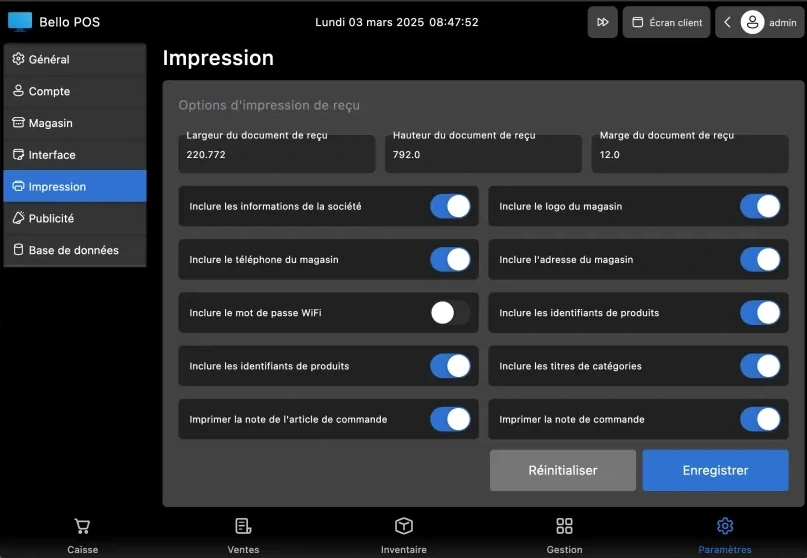
Connect a thermal receipt printer (58 mm or 80 mm) or any Windows printer, customise the ticket, and print or export invoices as PDF.

Free inventory desktop app

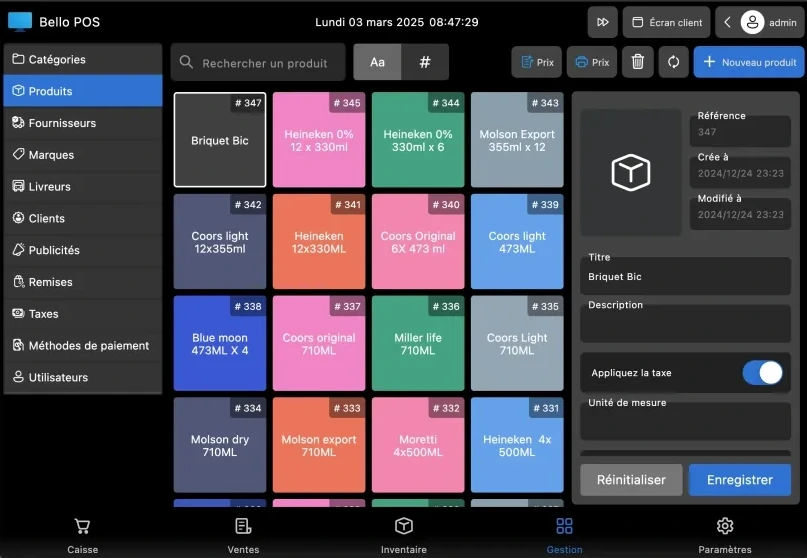
Stock levels, categories, suppliers and purchase orders in one free inventory desktop app, installed on your PC, so your data stays yours.

Get started in a few steps

BelloPOS Lite, Go & Pro

Works 100% offline

  1. 1Download and install BelloPOS on your device
  2. 2Activate the app with your activation keyGo & Pro only (Lite needs no key)
  3. 3Add your products directly on the POS
  4. 4Start selling, no internet required

One app for the whole shop

From checkout and stock to customer credit, electronic invoicing, commercial documents and accounting—see what each plan unlocks.

BelloPOS ProFor shops ready for the next step

One server, the whole shop on the same data

Your tills, your waiters' phones and the kitchen screen all work on a single database that sits in your shop, not in the cloud, not on someone else's server.

The server PC

One computer holds the database: products, stock, prices, sales and staff. It is the machine that stays on, and everything else simply connects to it.

Your local network · no internet needed

The other tills

Extra checkout stations join over your own network, by cable or Wi-Fi. A sale rung up on one till shows on all of them straight away, and the stock count follows.

The handheld app

Your waiter takes the order at the table from a phone browser. Nothing to install, no app store, and nothing to type again at the counter.

The kitchen screen

Orders appear in the kitchen the moment they are sent, on any phone or tablet browser. No paper tickets, no slips lost between the room and the pass.

Your data stays in your shop

The database is on your own PC. If the internet drops, and it does, the tills, the phones and the kitchen keep working.

Paid once, not every month

Pro is a lifetime licence. No monthly fee per till, no yearly renewal, no bill that grows with your turnover.

Grow at your own pace

Start with one till today. Add a second station, the waiters' phones and the kitchen screen when the business is ready: same app, same data.

Multi-terminal, the handheld app and the kitchen app are included in the Pro licence.

See BelloPOS Pro

See it in action

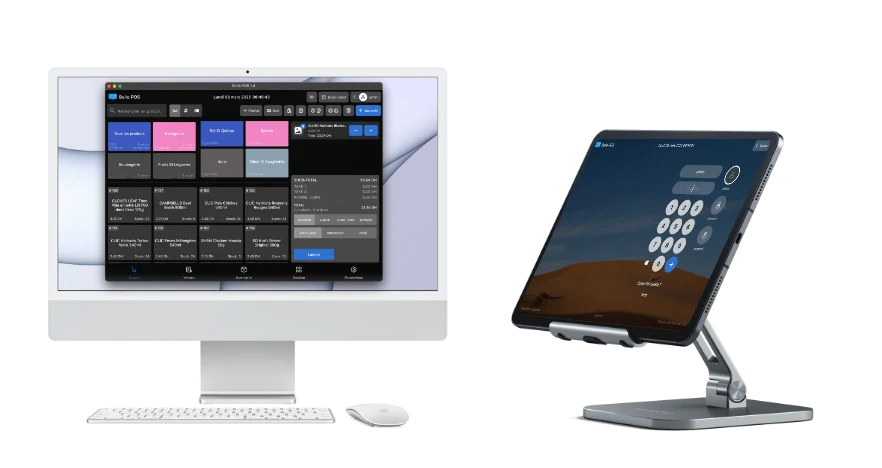
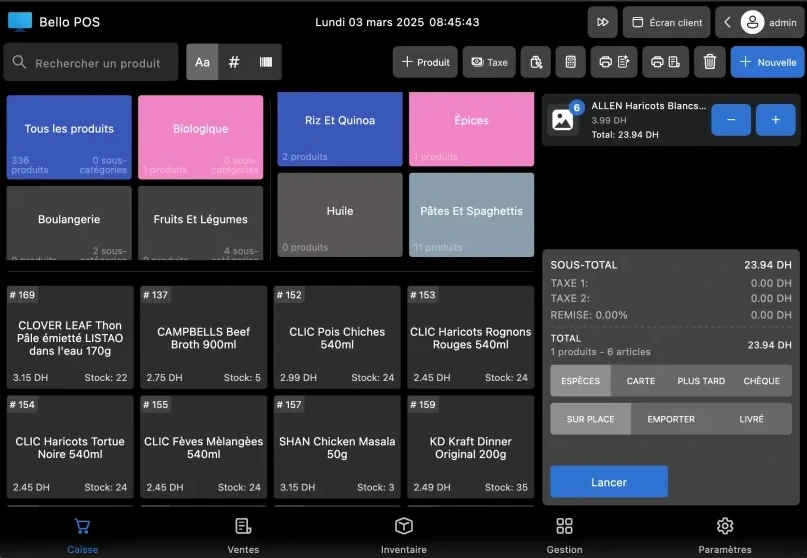
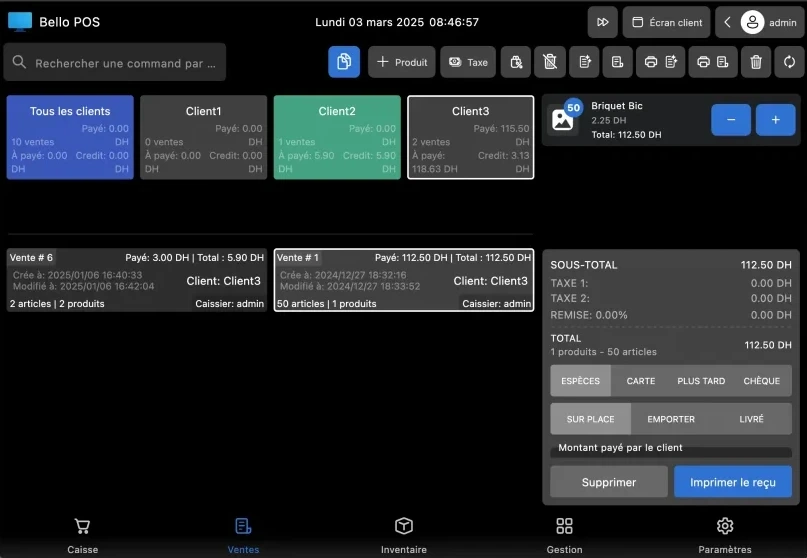
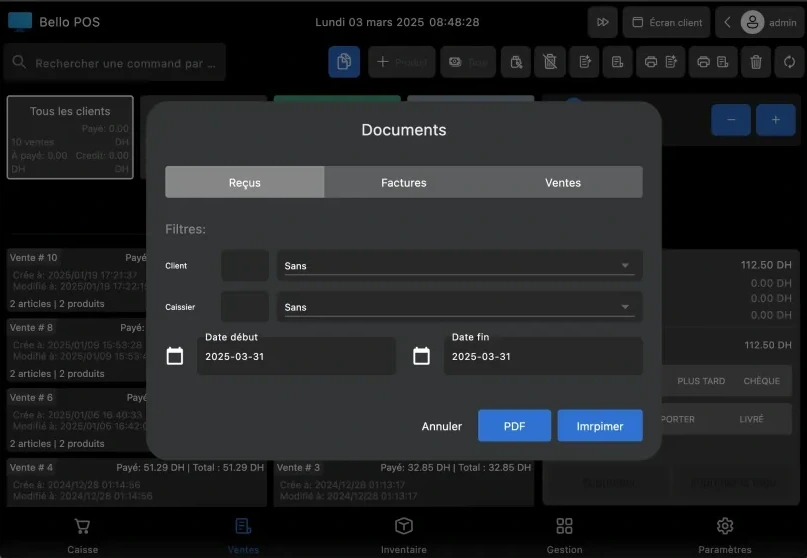
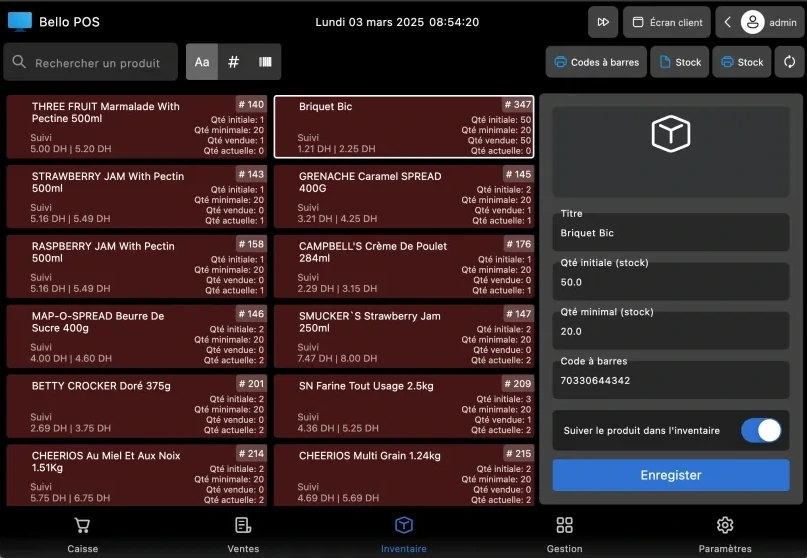
BelloPOS checkout screen on Windows: category tiles, the product grid, the cart and the cash keypadA cash payment recorded in BelloPOS, with the change due and the receipt ready to printThe BelloPOS inventory screen: stock levels for every product next to the product record being editedPrinting barcode labels from BelloPOS, with the name, price and reference on each labelRecording a supplier purchase in BelloPOS: the goods are priced and taken straight into stockThe BelloPOS reports dashboard, charting sales, purchases and gross profit day by dayThe BelloPOS report of best selling and most purchased products, with quantities and amountsSales history in BelloPOS: every ticket with its customer, cashier and total, filtered by dateThe restaurant table plan in BelloPOS, with the main room, the terrace and the upstairs floorThe BelloPOS kitchen display: orders moving from new to in preparation to readyThe BelloPOS kitchen and waiter web apps, opened on a phone over the shop's own network by QR codeTerminal and network settings in BelloPOS: the main till serves its database to the other tills over the local network, with no internet

BelloPOS pricing

Pay once, sell forever. Or get it free with the BelloCommerce Pro plan.

Works 100% offline

BelloPOS Lite

Free lifetime license

Freelifetime
Download now

Free download for Windows · checking the latest release… · works offline

  • Works 100% offline
  • Lifetime license, no subscription
  • Free monthly updates, on every plan
  • Sales history, catalog & customers
  • Inventory tracking
  • Receipt printing
  • Printer configuration
  • Barcode scanning for products
  • Customer second screen
  • Reports: today's overview tab
  • Multi-user, up to 2 users
  • Interface & printing in French, English & Arabic
Most popularWorks 100% offline

BelloPOS Go

One-time payment, yours for life

3500 DHlifetime
Get Started
  • Works 100% offline
  • Lifetime license, no subscription
  • Free monthly updates, on every plan
  • Everything in BelloPOS Lite
  • Unlimited users
  • Control user role permissions
  • Manage purchases
  • Export invoices
  • Electronic invoicing
  • Customer credit & statements
  • No watermark
  • Analytics dashboard
  • Activity log (who did what)
  • Automatic backups & restore
  • 1 month of priority support via WhatsApp or calls
  • Support to add your first 20 products and 10 categories included (product data should be available and well organized)
Works 100% offline

BelloPOS Pro

One-time payment, yours for life

6500 DHlifetime
Get Started
  • Works 100% offline
  • Lifetime license, no subscription
  • Free monthly updates, on every plan
  • Everything in BelloPOS Go
  • Commercial documents
  • Accounting & accountant exports
  • Staff and payroll
  • Restaurant module
  • Tables management
  • Kitchen screen
  • Handheld cashier web app
  • Network terminals support
  • Second screen ads
  • Reports via Telegram & email
  • 3 months of priority support via WhatsApp or calls
  • Support to add your first 1,000 products and 100 categories included (product data should be available and well organized)

Need more? Additional support plans can be purchased and tailored to your needs.

Compare all plans in detail

Every feature, explained on its own page

What each module does, the screens it uses, and the questions merchants ask about it.

Touchscreen POS software

The till screen your staff will actually use: one tap per item, one second per payment, and nothing waiting on a connection.

Stock management software

Every sale and every delivery moves the count, so what the screen says is what is actually on the shelf.

Barcode and label software

Any scanner works out of the box, and anything without a barcode gets one you print yourself.

Invoicing and receipt software

A thermal ticket for the queue, a proper PDF invoice for the customer who asks, both out of the same sale.

Electronic invoicing and UBL export

Issue the invoice at the counter, seal the exact UBL 2.1 record locally, and export a traceable filing pack without stopping the sale.

Customer management software

Know who is in front of you, what they bought last time, and the details their next invoice needs.

Customer credit and account statements

Set the limit before the sale, follow every debit and payment, and hand the customer a statement that adds up.

Purchasing and supplier software

Record what arrived and what you paid, then let stock, cost prices and supplier history update together.

Quotes, orders, delivery notes and invoices

Move from quote to order to delivery to invoice without retyping the customer, the products or the totals.

Sales reporting software

What sold, what earned, who sold it and what to order next, without exporting anything to a spreadsheet.

Accounting bridge and accountant exports

Sales, purchases, VAT and payments become balanced journals while the shop works—not a pile to reconstruct at month-end.

Restaurant POS software

The floor, the pass and the bill on one system, still running when the line goes down mid service.

Offline POS software

Not an offline mode that catches up later: the software simply runs where your shop is.

Multi-till POS software

One PC holds the data, the other terminals talk to it over your own network, and nothing leaves the building.

Staff accounts and permissions

Everyone gets their own login, each role gets exactly the buttons it should have, and the history says who did what.

Questions merchants ask

Price, hardware, internet, invoices and support, answered before you download.

Is BelloPOS really free, or is it a trial?

BelloPOS Lite is a free lifetime licence, not a trial and not a limited period. It covers checkout, receipts, the product catalogue, stock, customers, barcode scanning and label printing, three staff accounts and the customer display. Nothing expires and no card is ever asked for.

Do I have to pay every month?

No. There is no subscription anywhere in BelloPOS. The paid plans, Go at 9 000 DH and Pro at 40 000 DH, are lifetime licences bought once. What you buy keeps working, including on the version you already have. Updates are free as well: a new version comes out every month and every plan gets it, Lite included.

Does it work without internet?

Yes, completely. Sales, stock, receipts, customers and reports all run on the shop's own Windows PC. A dead line or a router reboot in the middle of service changes nothing. Internet is needed only to download the app and to activate a paid licence.

What do I need to run it?

A Windows PC or laptop. A touchscreen, a thermal receipt printer, a barcode scanner and a cash drawer all help, but none of them are required to start: BelloPOS works with a mouse and keyboard and prints to any printer Windows already knows.

Which barcode scanners and receipt printers are supported?

Any USB or Bluetooth barcode scanner, with no driver to find: they present themselves to Windows as a keyboard. For printing, 58 mm and 80 mm thermal receipt printers, and any ordinary Windows printer for A4 invoices.

Can I put my ICE and VAT on the receipt?

Yes. The ticket header is yours: shop name, address, phone, ICE and a closing line. VAT is set per product, mixed rates are broken down on the ticket, and a sale can be issued as a numbered PDF invoice with a Go licence.

Can I run several tills in the same shop?

Yes, with a Pro licence. One Windows PC acts as the server on your local network and the other terminals, the kitchen screens and the waiter app connect to it. It is your own network, so it keeps working with the internet down.

Does it handle restaurants, with tables and a kitchen?

Yes, with a Pro licence: a floor plan for your rooms and terrace, running totals per table, bills that split and move, a kitchen display, printed kitchen orders and a waiter app on a phone or tablet over your local network.

Where is my data stored, and what if the PC fails?

On your own PC, in your shop. There is no cloud account behind BelloPOS and nothing is sent to us. Keep backups: a Go licence adds scheduled backups, and any plan lets you copy the database to a USB stick or external drive you keep.

Do my sales sync to the cloud?

No, and that is deliberate: BelloPOS never syncs anywhere, which is exactly why it keeps working with no connection. Your sales stay in the database on your own PC, and the backups are files you keep.

Can you help me set it up and add my products?

Yes. A Go licence includes help adding your first 20 products and 10 categories, and Pro includes your first 1 000 products and 100 categories, as long as the product data is available and organised. Extra support plans can be bought and tailored to what you need.

What languages does the app work in?

French, Arabic and English, including right to left for Arabic. Receipts, the till screen and the back office all follow the language you choose.

Still have a question? Get in touch

Free point of sale software for Morocco

Get started today and bring all your commerce into one platform.