BelloPOS for your trade
Free POS for convenience stores and general retail
Snacks, drinks, batteries and phone top-ups: a quick till for a shop that sells a bit of everything.
Free download for Windows · checking the latest release… · works offline
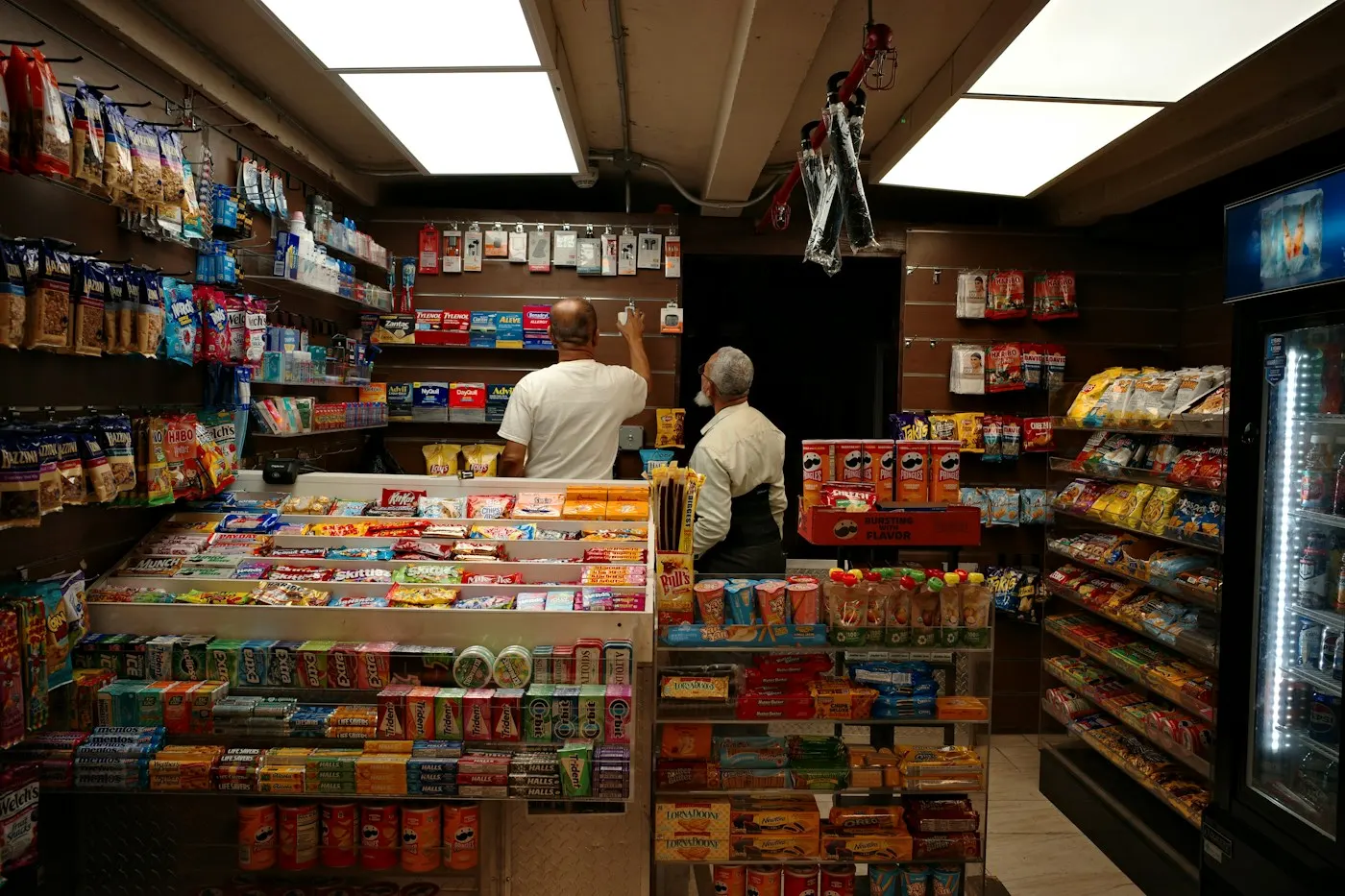
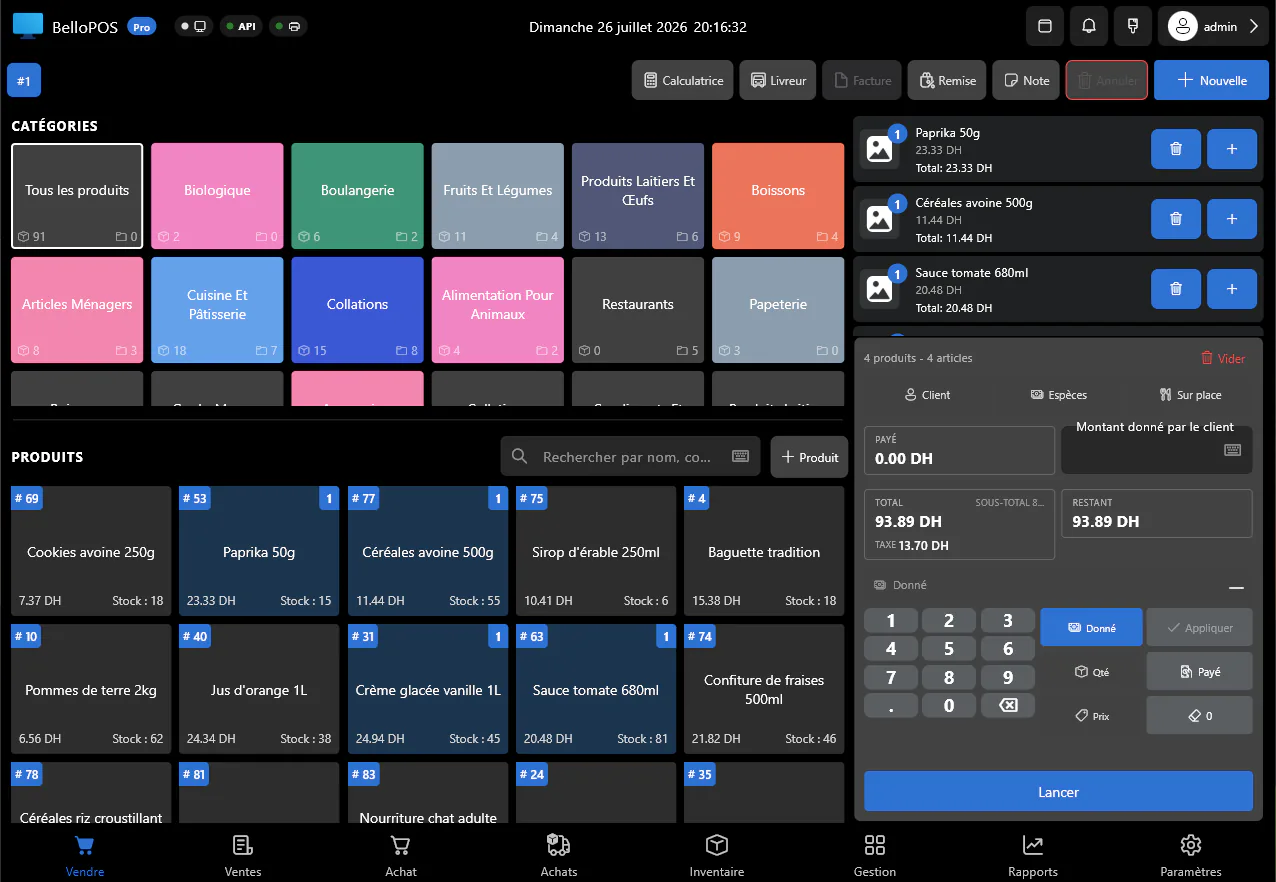
A neighbourhood shop sells hundreds of small things to people in a hurry. BelloPOS rings them up with a barcode scanner or a tap on the grid, totals the basket with the right tax on each line, and prints the ticket straight away. It runs on an ordinary Windows PC and keeps selling with no internet at all.
Choose "General retail" at setup and the demo database is filled with snacks, drinks, household goods and accessories, named in your language and priced in your currency, so the shop looks like yours from the first minute. Low-stock alerts then tell you what to reorder before the shelf is empty.
What you get
Scan or tap, then pay
Any USB barcode scanner works out of the box, and items without a barcode sit one tap away on the grid.
Stock alerts
Set a minimum for each product and see what is running low before the weekend rush, not after.
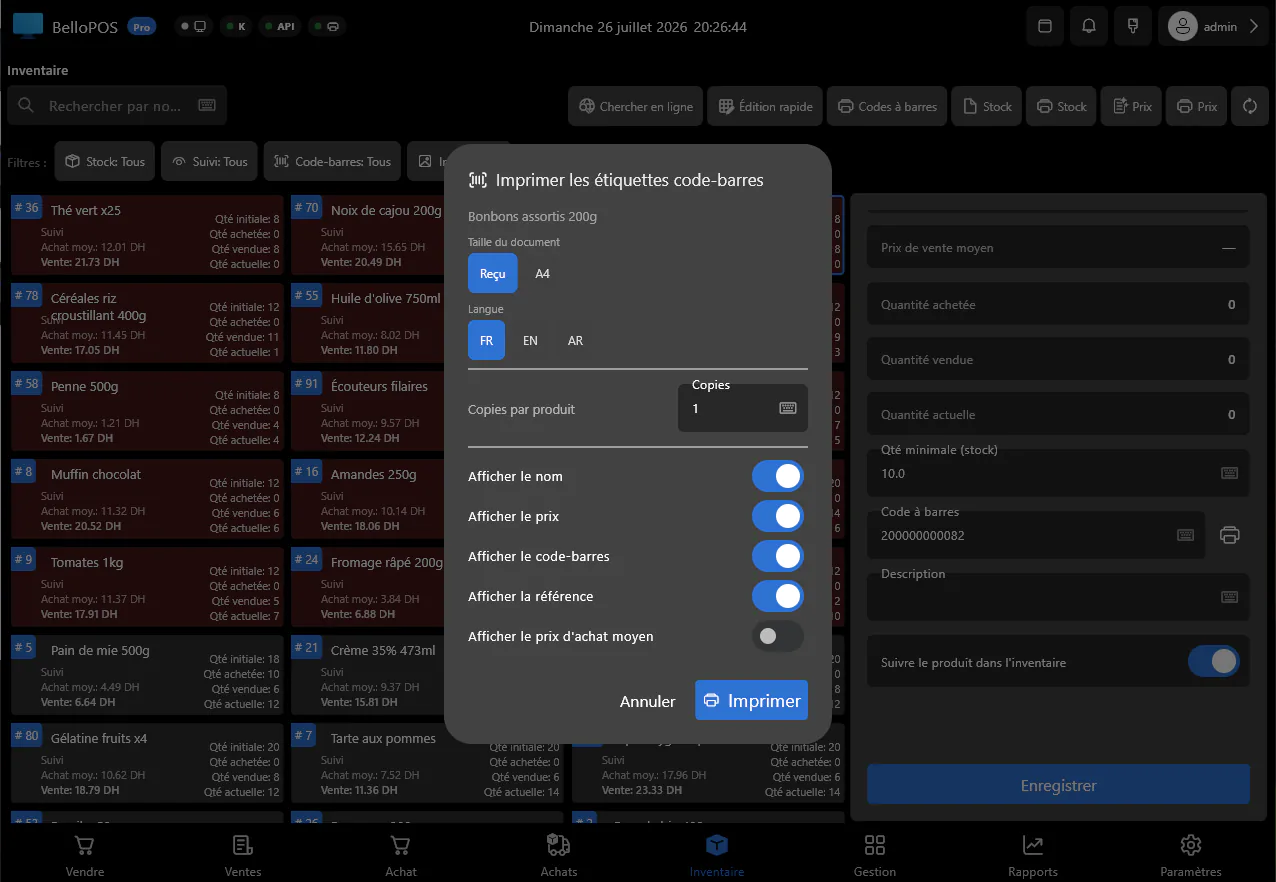
Barcode labels
Print your own labels for loose or unlabelled goods, with name and price, from the same app.
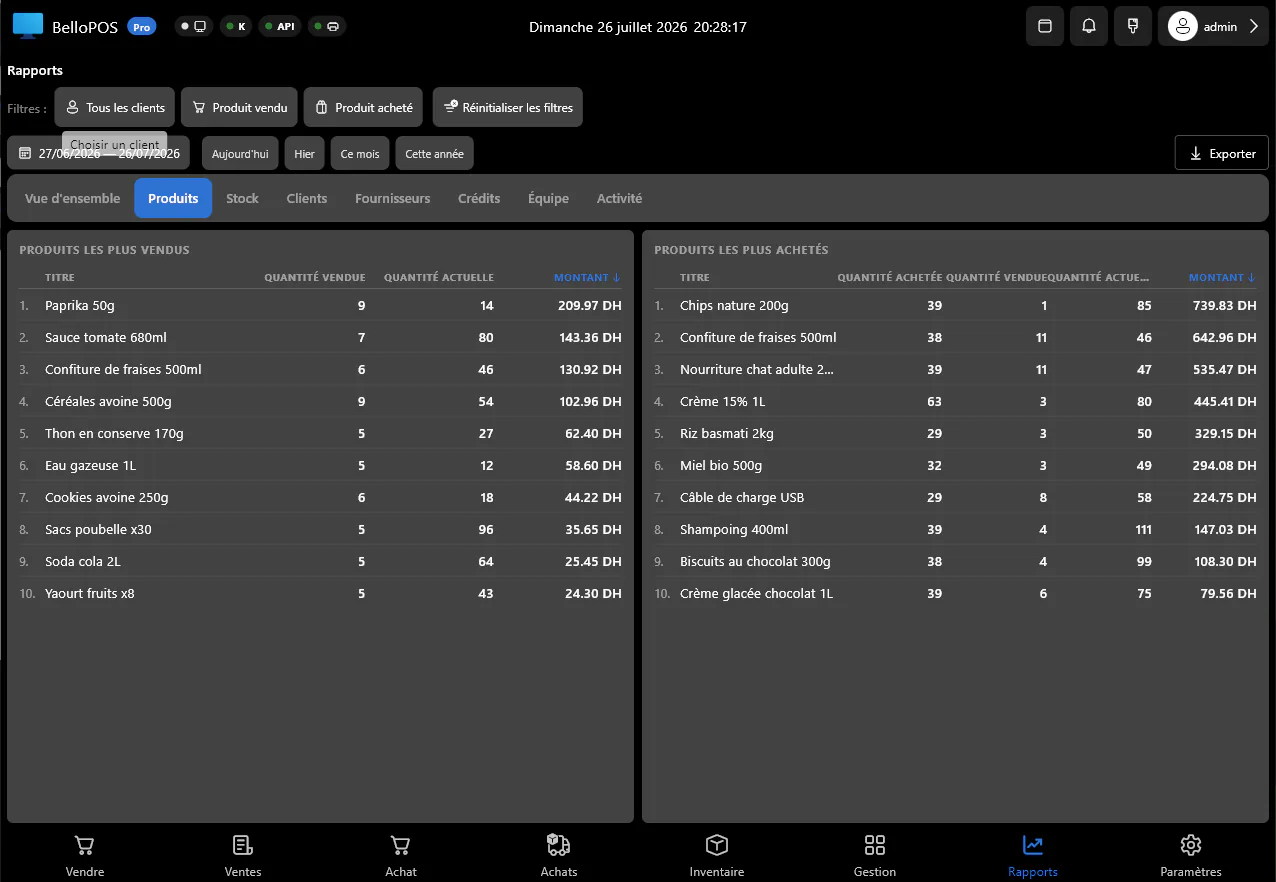
Know your best sellers
Reports show what sells, what sits on the shelf and the margin on each, so you buy on numbers instead of habit.
See it in the app
Real screens from BelloPOS on Windows.
Your demo catalogue, ready at setup
Choose this activity when you install BelloPOS and these categories and products are created for you, in your language and currency. Rename, reprice or delete them whenever you like.
- 1Install BelloPOS and choose your language and country.
- 2Pick "Try with demo data", then your activity.
- 3Start selling on a catalogue that already looks like your shop.
Convenience & general retail
4 categories · 17 products
Snacks and sweets
- Crisps 150 g$0.90
- Chocolate bar$0.60
- Filled biscuits$0.50
- Chewing gum$0.30
Drinks
- Water 50 cl$0.30
- Soda can$0.70
- Energy drink$1.50
- Fruit juice 25 cl$0.50
Household
- AA batteries x4$2.50
- LED bulb$2.00
- Bin bags x20$1.20
- Lighter$0.50
- Sponges x3$0.80
Accessories
- USB charger$4.50
- USB-C cable$3.00
- Phone top-up card$2.00
- Folding umbrella$5.00
Example prices in US dollars; the app converts them to your currency.
Download nowHow a sale goes
- 1Scan the items or tap them on the product grid.
- 2The total appears with tax per line; take cash or card.
- 3Print the ticket and the drawer opens on cash.
- 4Stock comes down with every sale and low items are flagged.
- 5Close the day and check the best sellers report.
Questions merchants ask
Which barcode scanners work?
Any USB or Bluetooth scanner that types like a keyboard, which is nearly all of them. No driver or setup is needed.
Can I try it with typical shop products?
Yes. At setup choose "Try with demo data", then "General retail", and BelloPOS creates a ready-made catalogue of snacks, drinks and everyday goods.
Is it really free?
The Lite plan is a free lifetime licence with checkout, receipts, barcodes and stock. Bigger plans are bought once, never by subscription.
Other trades
All BelloPOS featuresRestaurants
Tables, the kitchen pass and fast service.
Cafes & coffee shops
Quick orders, the counter and the terrace.
Supermarkets & grocery
Barcodes, stock and busy checkouts.
Bakeries & pastry
Weigh, sell and keep up with fresh batches.
Fashion & apparel
Sizes, variants and seasonal collections.
Beauty & cosmetics
Brands, testers and loyal customers.
Bars & lounges
Rounds, tabs and a busy counter.
Butcher shops
Sold by weight, cut by cut.
Parapharmacies
Dermo-cosmetics, baby care and supplements.
Stationery & school supplies
Back-to-school rush, item by item.
Electronics & phones
Phones, accessories and high-value tickets.
Home appliances
High-value sales, deposits and deliveries.
Furniture stores
Showroom sales, deposits and orders.
Auto parts
Thousands of references, found in seconds.
Free POS for convenience stores and general retail
Get started today and bring all your commerce into one platform.